Get help when you need it most with the Secufy SOS button
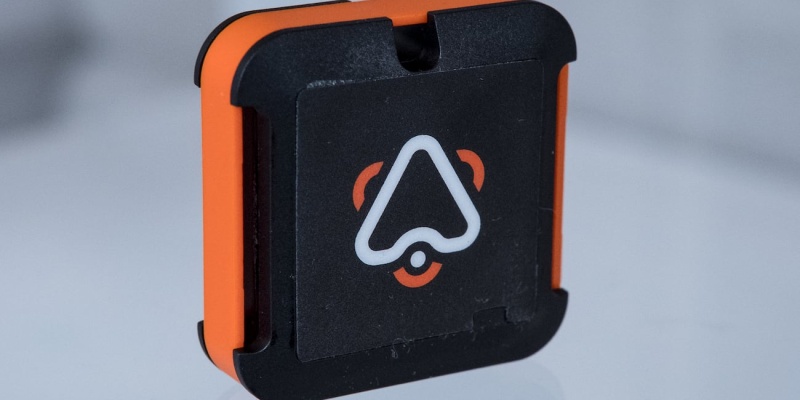
Solo adventures are great fun until you find yourself in trouble. Should the worst happen, the Secufy SOS Button allows you to get help by contacting your family and friends via global networks.

- How do you communicate without cell signal? Some devices can talk directly with satellites, and others use alternative radio signals.
- What is GSM? It’s the base standard for mobile communication, otherwise known as 2G. Many rural areas that don’t have 3G or 4G still have GSM coverage.
- What is the best long-range SOS device? Secufy is a small button that you can wear on your wrist, which provides coverage around the world.
Nothing can quite match the escapism of striding off into the wilderness alone. With no other human in sight, you have the opportunity to focus on your own thoughts, and experience the sounds of nature. However, going it alone does come with an underlying risk factor. If you were to hurt yourself or get lost, help wouldn’t necessarily be close at hand.
That’s why you should probably take the Secufy SOS button. This wearable device allows you to get help where cell signal cannot reach. It’s essentially a worldwide hotline to your friends and family.
How do you get help in the wild?
In urban areas and down most highways, cell phone networks provide fairly good coverage. But out in the wilderness, you may not be able to get help using your smartphone. Secufy uses two different communication technologies to ensure you stay connected.

Secufy always has signal
Whereas most phones now use 3G or 4G connections, Secufy works on GSM (aka 2G). This ancient standard can only transport a limited amount of data, but coverage is much more widely spread — particularly in rural areas.
Stay connected wherever you go
In addition, Secufy works with the Sigfox network. This technology has been designed to allow low-power devices, such as smartphones, to remain connected. Even where cell phone carriers cannot reach, Sigfox will keep you covered.
[tweet_box]The Secufy SOS Button allows you to get help by contacting your family and friends via global networks[/tweet_box]
Smart SOS button
When you need help, you simply push the SOS button three times. The device will then send a distress call to three designated contacts using whatever means necessary. In addition, Secufy uses GPS to determine your exact location. This information is included with your message.

Secufy lets you call for help
The device is really easy to set up, and you can wear it on your wrist. Secufy is also waterproof, lightweight, and truly private — the device encrypts your SOS messages.

The SUS button is great for elderly
Just as importantly, the SOS button will keep going for between five and six months on a full charge. In other words, you can take a trip around the world without stopping to charge the battery.
“Each Secufy SOS Alert Button features an unlimited range and instantly alerts up to three personal contacts with your location and each other’s information when activated in an emergency without an app or station to connect to.” — Secufy on Kickstarter
What we ❤️

Keep your kids safe
Satellite phones are often expensive and bulky. Secufy offers the same kind of coverage in a lightweight and affordable package. It’s a great way to give yourself and loved ones some peace of mind.
Total coverage?

Just don’t go up mountains
GSM and Sigfox will keep you connected in most places. However, you may wish to invest in a satellite communicator if you plan to climb the Himalayas or trek across the Arctic.
Availability
– Kickstarter: Until June 12th
– Pledge: $49.33 USD
– Delivery: September 2019