Xencelabs Quick Keys shortcut keyboard is a portable tool for creators to fully customize
Are you a digital creator who's sick and tired of remembering advanced keyboard shortcuts? Today we've got a tool that will help make your creative life a lot easier. This handy portable gadget features customizable quick command buttons and fits easily into backpacks. Read on to learn more!

If you’re a digital creative or artist, you know how intensive advanced creation programs can be. Surface-level tasks are oftentimes supported by a plethora of background functions. Those background functions are not only a lot to remember but also tricky to use when there are so many different shortcuts.
Thankfully, there’s a solution that helps make things easier. Enter the Xencelabs Quick Keys one-handed shortcut keyboard. It’s a simple, compact device that’s sure to change the way you work and create. Let’s get a closer look at this handy gadget, shall we?

Features an OLED display
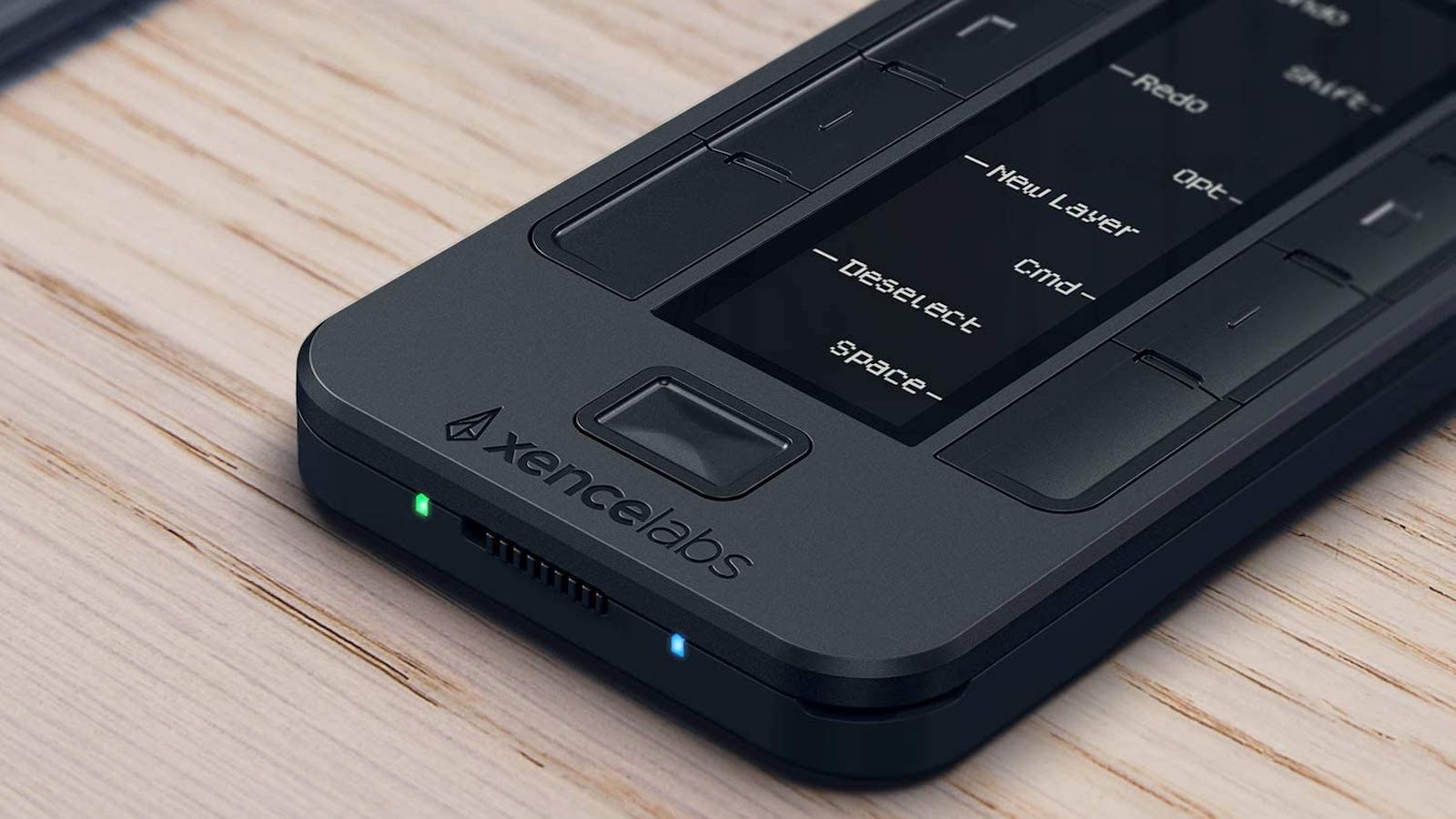
The Xencelabs Quick Keys features an OLED display so that you can see which shortcuts are assigned to its keys. There’s a color ring that’s programmable and indicates current functions.
If you need to, you can even adjust the brightness on the display. There’s just enough here to be effective and helpful without overcomplicating its goal of keeping things simple. That’s a nice balance users are sure to appreciate.
Offers two different modes
One nice thing about the Xencelabs Quick Keys tool is that it comes with two different modes. One lets you use it wirelessly, which is about as easy as it gets. The other lets you use it while plugged in with a USB cable.
A USB cable provides the most direct connection and also charges the device. According to the manufacturer, you can use it while the device charges. That way you’re not stuck waiting if it runs out of power.
Has a settings panel and sleep timer
Xencelabs Quick Keys also brings a driver settings panel that is built from scratch. It lets you customize the device, from the ring color to the device orientation all the way down to the individual functions and shortcuts.
There’s also an adjustable sleep timer that allows you to set the device to sleep mode so you can save battery power. Not bad Xencelabs, not bad.
Includes support for Adobe PS and more
If you’re wondering what programs are compatible, don’t worry. There are plenty already supported, from Adobe Photoshop and Illustrator to AD Sketchbook and Zbrush.
It also works on Windows, Mac, and Linux platforms. And there’s a slew of pre-loaded application shortcuts that come ready to use with the Quick Keys tool. You can use them as-is or as a template for your own custom shortcuts.
Is the perfect creative tool to can take anywhere
Any digital artist or creator looking to make their life easier can surely appreciate what the Xencelabs Quick Keys shortcut keyboard brings to the table (or desk, perhaps). It’s small enough to throw in a bag and works wirelessly, so those who move between locations can benefit from its portability.
It also cuts down on memorizing advanced keyboard shortcuts on a full-size keyboard. With so many ways to use and customize it, not to mention pre-loaded shortcuts to get you started, it’s a no-brainer if you work with compatible programs.
We’ll even provide a shortcut of our own below so you can get one if you’re interested. See, isn’t that easier?
You can find the Xencelabs Quick Keys shortcut keyboard here for $88.99.