
The printers that eat their own supports: best dual-extruder 3D printers for multi-material parts in...
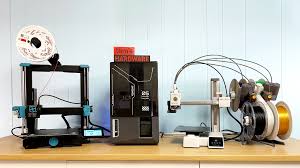
There is a moment every 3D printing enthusiast knows well. You pull a finished part off the bed, flip it over, and spend the next forty minutes with a pair of pliers trying to snap away support material without snapping the thing you actually made.
You curse. You chip an edge. Sometimes you win, sometimes you don’t.
The cruel irony is that the supports did their job perfectly, and this is still your reward.

Dual-extruder printing with soluble supports is the answer to that moment. Load a second material that dissolves in warm water, and the printer builds its own scaffolding, does its job, and then simply disappears.
It sounds almost too good. In practice, it mostly is that good, provided you have the right machine.
You’re Not Just Buying a Second Nozzle
The phrase “dual extruder” covers a huge range of engineering realities, and most of the cheap ones will break your heart when it comes to soluble supports.
Here is what actually matters.
The two materials you are pairing, typically PLA or ABS for the part and PVA or BVOH for the supports, have different ideal printing temperatures, different sensitivities to moisture, different flow characteristics, and different tolerances for heat creep.
A printer that handles the handoff between them badly will give you a support that either fuses to the part (and won’t dissolve cleanly) or one that separates from the part mid-print (and ruins the whole job). The mechanical architecture of how two nozzles share a carriage, or whether they operate independently, shapes everything about reliability.
There are three main approaches you’ll encounter.
- Fixed dual nozzles on a shared carriage, like the Bambu H2D and X2D, swap between hotends by engaging one and parking the other.

Image Credits: Bambu Lab
2. Independent Dual Extrusion (IDEX), used by BCN3D, gives each nozzle its own motor and carriage so one can print while the other rests without the risk of oozing.

Image Credits: BCN3D Technologies
3. The Prusa MK4 with its MMU3 add-on takes a completely different route: a single hotend that sequentially swaps between up to five filaments using a clever feeder mechanism.

Image Credits: Amazon
Beyond hardware, you need a printer with a heated enclosure or at least a stable thermal environment if you are printing with ABS or engineering-grade materials. PVA is ferociously hygroscopic.
If your spool has been sitting out for a day in a humid room, it will print like wet noodles and clog the nozzle. So the machine needs to handle the workflow end to end: dry filament feeding, clean transitions, reliable ooze control, and slicer software smart enough to generate proper interface layers between part and support.
This is a more demanding ask than most people realize before they buy. The good news is the machines that get it right are genuinely exceptional.
The Printers Worth Your Time
Bambu Lab H2D: The Overachiever in the Room
If you want the most capable dual-extruder printer money can currently buy for consumer and prosumer use, the H2D is it, full stop.
Bambu took everything they learned from the X1 Carbon, doubled the extrusion system, added a 65 degree Celsius actively heated chamber, pushed the hotends to 350 degrees, and built in support for up to 24 filament spools via their AMS (Automatic Material System). The build volume in dual-nozzle mode is a very generous 300 by 320 by 325 millimeters.
At 350 degrees, you can print engineering-grade materials that most desktop printers cannot touch: carbon-filled nylons, polycarbonate, high-temp PETG variants.

Image Credits: 3D Prima UK
The H2D handles PVA and BVOH soluble supports natively and, because both nozzles are identical in construction, you are not trading quality when you switch to the support material. The CoreXY motion system keeps speeds blistering without sacrificing accuracy.
The H2D also ships in a “Laser Combo” configuration with an integrated laser engraver, which is either a remarkable value-add or a feature you will ignore entirely, depending on what kind of lab you run.
The downsides are real.
The H2D costs around $2,300, is large and heavy, and leans hard into the Bambu ecosystem. Bambu Studio is genuinely good software, but if you have existing PrusaSlicer or Cura workflows, there is a learning curve.
Setup requires patience and a certain comfort with complexity. For a maker who will genuinely push the machine’s capabilities, the price-to-performance ratio is defensible. For someone who just wants to print the occasional bracketed assembly with clean overhangs, it is a lot of printer.
Who it’s for: production users, R&D labs, and serious enthusiasts who run the printer hard and need maximum material flexibility.
Bambu Lab X2D: The One Most People Should Actually Buy
The X2D is what happens when a company takes a wildly successful printer, the X1 Carbon, and surgically adds dual-extrusion capability without blowing up the price.
At around $899 including an AMS unit, it brings dual nozzles, an actively heated chamber reaching 65 degrees, and AI-assisted print monitoring to a market segment that previously had no good options at this price.
The architecture is slightly asymmetrical: a primary hotend rated to 300 degrees handles detailed, high-quality printing, while an auxiliary rear nozzle rated to 260 degrees handles secondary materials like supports or accent colors.

Image Credits: Dynamism
In practice, early users note that the auxiliary nozzle’s output quality is a small step below the primary’s, which means you want your support material coming from the auxiliary and your part from the primary. For soluble-support workflows, that is exactly the correct assignment, so this quirk barely matters.
The build volume is 256 by 256 by 260 millimeters in single-nozzle mode, shrinking slightly in dual mode. That covers the vast majority of parts people actually need to print. With multiple AMS units chained together, the X2D can handle up to 25 colors, which is more of a party trick than a functional requirement, but it does demonstrate how well the filament management system scales.
What the X2D delivers is a machine that prints PLA with PVA supports reliably, handles ABS and ASA in the heated chamber without the constant warping drama, and does it all at CoreXY speeds that make Cartesian printers look like they’re moving through syrup. For the price, it is genuinely hard to argue against.
Who it’s for: makers, product designers, and hobbyists who want real dual-extrusion capability without industrial-tier spending.
Prusa i3 MK4 with MMU3: The Craftsman’s Machine
The Prusa MK4 is not flashy. It does not have a slick touchscreen interface or a heated chamber or a CoreXY motion system. What it has is print quality that routinely embarrasses printers costing twice as much, a rock-solid reputation built over a decade, and an ecosystem of community support, open-source documentation, and affordable spare parts that no other manufacturer comes close to matching.
The multi-material capability comes from the MMU3 add-on, a five-filament changer that mounts to the top of the printer and manages automated loading, unloading, and purging via a waste tower printed alongside your part.
The single Nextruder hotend handles temperatures up to 300 degrees and comes with built-in profiles for PVA and BVOH in PrusaSlicer.

Image Credits: Prusa Blog
The load cell in the extruder provides real-time force feedback during filament loading, dramatically reducing jams compared to earlier Prusa multi-material systems.
The tradeoff against the Bambu machines is honest: the MK4 is slower, and the 250 by 210 by 220 millimeter build volume is more constrained. Filament swaps via the MMU3 generate some waste material in the purge tower, adding time and cost per print.
But if what you care about is dimensional accuracy, fine detail at small layer heights down to 0.05 millimeters, and a printer you can repair yourself with printed parts ordered from the community, the MK4 with MMU3 at roughly $1,100 assembled plus $350 for the MMU3 is one of the most honest deals in this category.
Who it’s for: makers who prize print quality and community-first repairability, and who are willing to trade some speed for precision.
Ultimaker S5: The One That Works Without Drama
The Ultimaker S5 was designed by engineers who decided that reliability was more important than raw performance metrics, and it shows in every aspect of the machine.
The 330 by 240 by 300 millimeter build volume, the swappable print core system with dedicated AA cores for build material and BB cores for PVA, the glass-enclosed optional Air Manager, the native Cura integration with a digital factory for remote queue management: every decision points toward a printer you can hand to someone who is not a 3D printing expert and expect good results.

Image Credits: UltiMaker
The swappable print cores deserve special attention in this context. PVA is notoriously hard on nozzles and feed systems over time, and being able to swap out a worn BB core without tooling in under a minute is a genuinely practical feature for anyone running soluble supports regularly.
Ultimaker’s certified material profiles mean that when the slicer says “print PVA at 215 degrees and 30 millimeters per second,” those numbers have been tested and validated, not estimated.
The S5 uses 2.85 millimeter filament rather than the more common 1.75 millimeter, which limits your third-party filament options and increases costs somewhat.
At around $4,000 for the base machine, it sits in a different price tier entirely. And its Bowden extruder design means print speeds are more conservative than CoreXY competitors. But for an office environment, a university lab, or a product studio where the printer needs to just work every time and downtime is expensive, the S5’s track record earns it a serious look.
Who it’s for: professional environments where reliability and workflow integration matter more than cost.
Raise3D Pro3: Built for the Long Haul
The Raise3D Pro3 is what a professional dual-extruder printer looks like when a company decides to engineer out every possible failure mode.
The fully enclosed 300 by 300 by 300 millimeter build volume, HEPA and charcoal filtration, all-metal extrusion rated to 300 degrees, independent nozzle lifting to prevent ooze during travel: the Pro3 reads like a checklist of things that matter for long-running production prints.

Image Credits: 3D Printer
Repeatability under 5 microns puts the Pro3 in a category of accuracy that product engineers actually specify when tolerances count.
The IdeaMaker slicer has a learning curve, but it supports custom G-code and connects to Raise’s cloud platform for fleet management and remote monitoring. The Pro3 supports an open filament policy, meaning you are not locked to expensive branded materials, although the machine genuinely shines with technical filaments: Nylon, PC, and TPU in dual-material configurations are where it earns its keep.
At around $4,600, the Pro3 is priced for small-batch production environments. If you are running a prototype shop, a dental lab, or a small manufacturing line, the cost-per-print calculus often justifies it. For a hobbyist or a startup with one printer, there are better value options.
Who it’s for: small-scale production, engineering teams running engineering-grade materials, and anyone who needs 24/7 uptime.
BCN3D Sigma D25: The Wide-Format Workhorse
The BCN3D Sigma D25 occupies a niche that none of the other printers here fill: an enormous 420 by 300 by 200 millimeter IDEX platform that can print two independent parts simultaneously, mirror builds across an axis, or run a large single part with PVA supports across the full bed width.
The Independent Dual Extrusion means the two tool heads move completely separately, eliminating the ooze and contamination issues that plague fixed dual-nozzle designs. For office-safe materials, PLA, PETG, TPU, and PVA, the Sigma D25 runs reliably with minimal fuss on its BCN3D Cura-based slicer. The PEI-coated build plate and Smart Cabinet humidity control accessory address the moisture sensitivity problem that kills PVA prints.

Image Credits: Matter Hackers
The limitations are also real.
The firmware and controller electronics are not as modern as Bambu or Prusa’s recent designs. The base D25 has only a partial enclosure, which means ABS and Nylon are marginal without upgrading to the Epsilon series (which adds a 60 degree heated chamber).
At around $4,200, it is priced comparably to the Ultimaker and Raise3D but offers a different set of trade-offs centered on build volume and IDEX throughput over per-print quality and material range.
Who it’s for: teams that need large-format soluble-support printing for PLA and PETG parts, or anyone who wants to run two simultaneous jobs.
Setting Up Your First Soluble-Support Workflow
Buying the right machine is half the equation.
The other half is understanding how soluble support printing actually works in practice, because the workflow has a few sharp edges that will catch you off guard if you go in blind.
Start with the classic pairing: PLA for the part, PVA for the support. This is the most forgiving combination and the one with the most community documentation.
Dry your PVA spool thoroughly before use, at least four hours at 60 degrees in a filament dryer, and keep it in a sealed container with desiccant between prints.
Moisture-saturated PVA will string, clog, and underextrude in ways that look exactly like a hardware problem but are entirely a material storage problem.
In your slicer, configure interface layers: thin transition zones where model material and support material interleave to create a controlled, clean boundary. Most modern slicers, PrusaSlicer, Bambu Studio, and Cura included, have presets for this. Set your PVA print speed to around 25 to 30 millimeters per second, slower than your build material. Use a prime tower or wipe sequence between material transitions to purge contamination from the nozzle.
After printing, soak the part in warm water, around 25 to 30 degrees Celsius, with a small amount of dish soap. Agitation speeds things up considerably; an ultrasonic bath or even a tank with an aquarium pump will cut dissolve times dramatically. PVA typically takes six to twenty-four hours depending on support mass. BVOH dissolves faster at slightly higher temperatures and handles ABS and ASA pairing where PVA would degrade.
The first few prints will teach you more than any guide can. Run small test geometries before committing to long prints. Calibrate your Z offset obsessively. The printers in this list are capable of excellent results; the main variable is you learning the material behavior.

Print This First
When you have your machine set up and your PVA dried and loaded, print a simple cantilever test: a horizontal bar extending 30 to 40 millimeters from a vertical post, with a complex fillet underneath that would be impossible to support with breakaway material cleanly.
Slice it with PVA interface layers at 0.2 millimeter height, run the print, drop the part in warm water for two hours, and pull it out.
The surface where the support used to be will be clean in a way that snap-away supports simply cannot match.
That surface finish is the whole argument for this category of printer, and once you have felt it in your hands, you will wonder how you ever accepted the alternative.


